
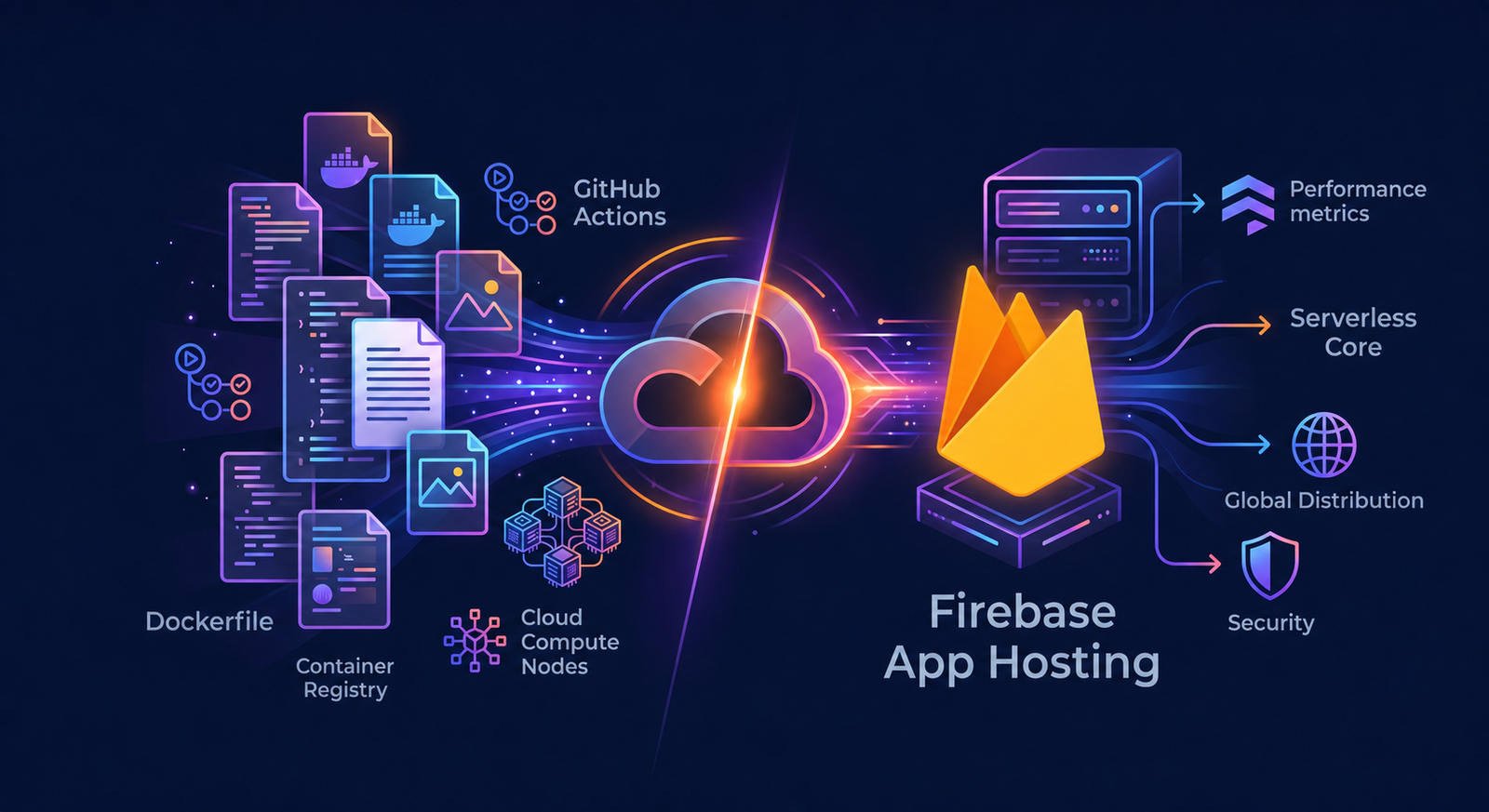
As software engineers, we love control. But when evaluating Firebase App Hosting vs Docker for production web applications, the balance between total control and operational convenience becomes critical. For years, the gold standard for deploying production web applications was a hand-crafted container pipeline. You write the Dockerfile, tune multi-stage builds, configure GitHub Actions, push to a container registry, and map compute nodes. It feels robust—until you spend hours maintaining dependencies, OS patches, and ingress configurations instead of shipping features.
When Google introduced Firebase App Hosting as a framework-aware platform, I was skeptical. But after migrating a live Next.js SSR application away from a custom Docker setup, I realized how much operational friction it eliminates.
If you are evaluating Firebase App Hosting vs Docker for server-side rendered (SSR) applications, here is a realistic technical breakdown of why we shifted, how the platform operates under the hood, and the technical drawbacks to keep in mind.
How Firebase App Hosting Works Under the Hood
When you migrate to Firebase App Hosting, you tap into a serverless architecture orchestrated across Google Cloud’s enterprise stack:
- The Build Phase: When you push code, Google Cloud Build spins up an isolated build environment using open-source Cloud Native Buildpacks. Framework adapters inspect your
package-lock.jsonorpnpm-lock.yamlto construct optimized, reproducible container images automatically. - The Server Core: Dynamic, server-rendered logic deploys directly to Cloud Run. This compute environment automatically scales up for traffic spikes and scales down to zero when idle.
- The Global Edge: Static assets and cacheable dynamic pages are served via Cloud CDN for global, low-latency delivery.
Faster Deployments with Automated Tree-Shaking
Container bloat is a major pain point in custom Docker setups. Unless developers carefully write multi-stage Dockerfiles and explicitly specify output: 'standalone' in Next.js, production images easily balloon to 500MB–1GB due to unpruned node_modules.
Firebase App Hosting optimizes this natively. Its adapters perform tree-shaking on the deployment bundle, packaging only essential runtime dependencies. Deploying lighter runtime binaries drops upload and extraction times, resulting in deployments that are up to 30% faster compared to traditional Docker CI/CD pipelines.
Route-Based Observability Out of the Box
Traditional server monitoring often displays aggregate CPU or memory metrics that mask broken endpoints. Firebase App Hosting provides built-in, route-based monitoring for up to 20 high-value paths.
Directly from the Firebase Console, you get real-time dashboards powered by Cloud CDN and Cloud Run logs to track:
- Traffic Volume: Real-time request counts per route.
- HTTP Error Rates: Immediate visibility into 5xx errors on endpoints like
/api/checkout. - SSR Latency: Server response times for dynamic pages.
- CDN Cache Hit Rates: Metrics to verify whether your
Cache-Controlheaders effectively reduce origin load.
Because git commit tags overlay directly onto these metrics, you can instantly correlate a latency spike with a specific deployment.
Firebase App Hosting vs Docker: A Technical Comparison
| Technical Feature | Custom Docker (Self-Hosted) | Firebase App Hosting |
| Pipeline Setup | High overhead. Requires custom Dockerfile, registries, and CI/CD YAML. | Zero config. Automated Cloud Native Buildpack pipeline triggered by git push. |
| Scaling & Ingress | Manual setup of ingress controllers, auto-scalers, and external CDNs. | Built-in Cloud CDN edge caching and Cloud Run auto-scaling. |
| Maintenance | Manual base image updates, OS security patching, and runtime upgrades. | Fully managed infrastructure security and automated runtime patches by Google. |
| Environment Parity | High. Local docker compose mirrors production 1:1. | Moderate. Builds run in Cloud Build; local debugging relies on Node runtime. |
3 Technical Drawbacks You Must Consider
Despite its advantages for Next.js SSR hosting, Firebase App Hosting has technical trade-offs you must account for before migrating.
1. Next.js Image Optimization Overhead
Built-in Next.js <Image> optimization on standard Cloud Run containers can cause CPU and memory spikes when resizing images dynamically.
- Workaround: Set
images.unoptimized = trueinnext.config.jsor offload image transformations to a dedicated image CDN like Cloudinary.
2. Cold Start Latency
Custom Docker containers on a fixed VPS (e.g., AWS EC2 or DigitalOcean) are always warm. Because Firebase App Hosting utilizes Cloud Run, instances scale down to 0 when idle, introducing a 1–3 second cold start delay on the first request after inactivity.
3. Monorepo Configuration Overhead
Firebase App Hosting supports monorepos (Turborepo, Nx), but requires defining the rootDir parameter inside firebase.json:
JSON
{
  "apphosting": {
    "backendId": "my-app",
    "rootDir": "/apps/web-app"
  }
}
Architectural Limitations
Stick with your custom Docker setup if your project involves:
- Unsupported Frameworks: Native adapters are optimized specifically for Next.js (13.5+) and Angular (17.2+).
- Non-GitHub VCS: Build triggers currently lock strictly to GitHub (no native GitLab or Bitbucket support).
- Spark Plan Constraints: Requires the pay-as-you-go Blaze Plan to provision underlying Google Cloud resources.
Verdict: When Should You Switch?
Choosing between Firebase App Hosting vs Docker comes down to engineering priorities. If your team builds Next.js or Angular apps hosted on GitHub, Firebase App Hosting provides an enterprise-grade Google Cloud pipeline with zero DevOps overhead. If your stack relies on custom non-Node runtimes, multi-cloud portability, or self-hosted Git, stick to Docker.
Frequently Asked Questions
Is Firebase App Hosting faster than Docker on a VPS?
Deployments are up to 30% faster due to automated container tree-shaking. Warm runtime response times are comparable, though serverless cold starts can occur after idle periods.
Does Firebase App Hosting support monorepos?
Yes. It supports Turborepo and Nx by setting the rootDir parameter in firebase.json.
What Next.js versions are supported?
Firebase App Hosting officially supports Next.js versions 13.5+, 14.x, and 15.x.