Quick Recap: What Happened in Part 1
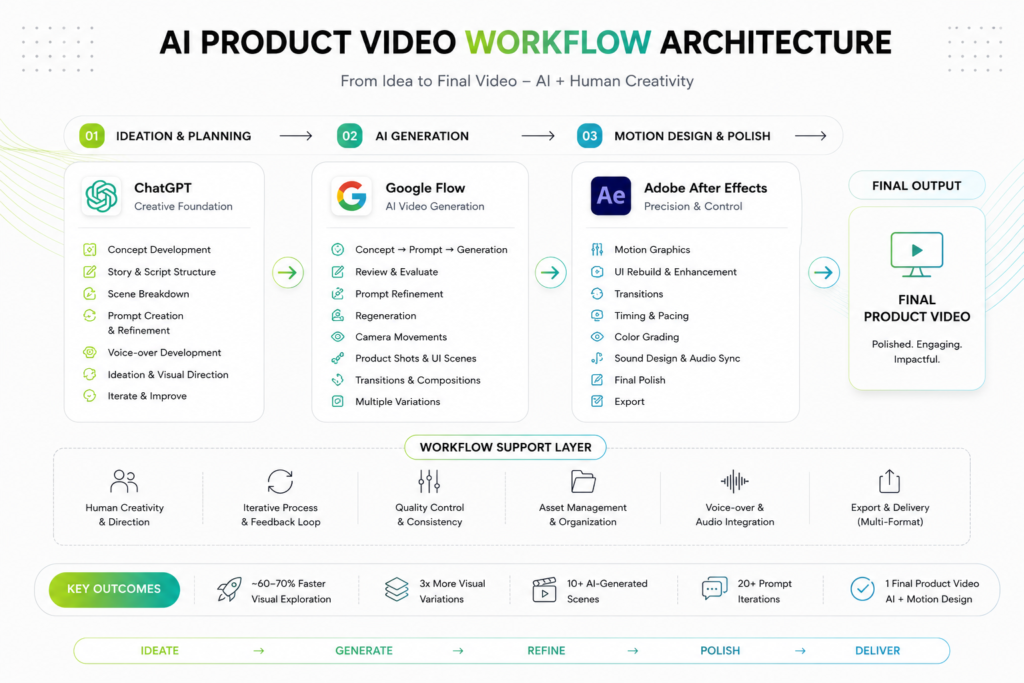
In Part 1, I broke down how I built an AI product video workflow around three tools — ChatGPT for concept and prompt development, Google Flow for AI video generation, and After Effects for the final motion design and polish. Instead of building every scene by hand, I generated visuals from prompts and treated the whole process as art direction rather than manual production.
However, that same post ended on the pain points: AI-generated text was often riddled with spelling mistakes, UI elements shifted or distorted between generations, objects lost consistency from shot to shot, and camera motion was hard to control precisely. In other words, the AI could generate a video easily — but not always the exact video I had in mind.
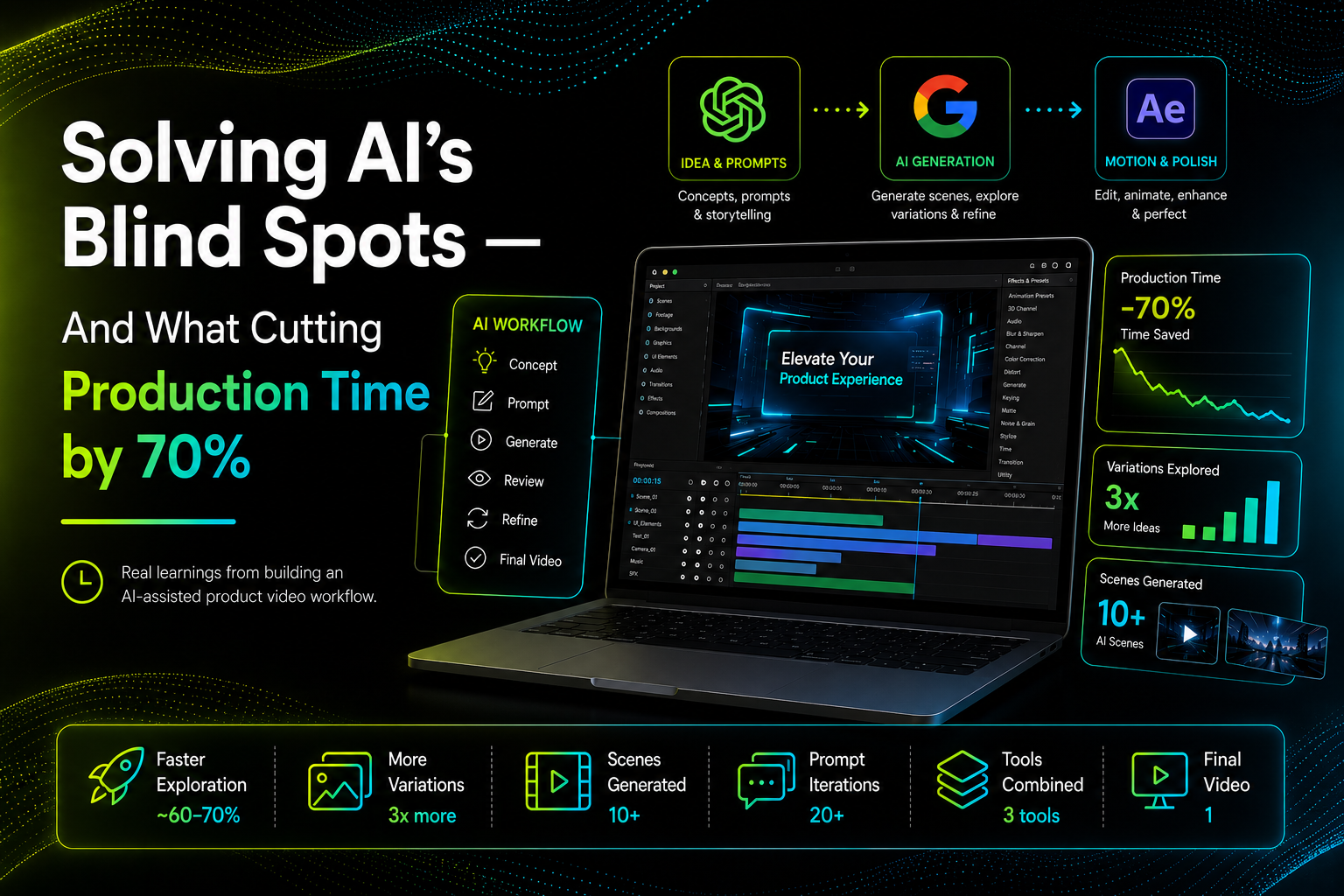
So, in this post, I’ll walk through exactly how I solved each of those problems, what the finished experiment actually taught me about the changing role of the designer, and the real numbers behind the “cut production time by 70%” claim.
Pain Points → Solutions
| Pain Point | What I Did |
|---|---|
| AI generated spelling mistakes | Avoided important text inside the generated video; added text later in After Effects |
| Small UI text became distorted | Used larger UI elements and kept text minimal |
| Product/UI changed between generations | Used AI mainly for environment and motion, then recreated key UI elements in After Effects |
| AI didn’t follow exact animation instructions | Generated overall movement, then refined timing manually in After Effects |
| Objects changed between shots | Kept prompts very specific and generated multiple variations |
| Too much camera movement | Explicitly asked for a static camera / subtle camera movement |
| AI added unwanted elements | Simplified prompts, described only the essential elements |
| Difficult to maintain brand consistency | Added brand colors, UI, typography, and graphics manually in After Effects |
| First generation rarely worked | Treated generation as an iterative process, not a one-shot result |
| UI looked unrealistic | Used AI for the scene, then manually composited accurate UI on top |
Iteration Became Part of the Process
I quickly realized the first generation was rarely the final result. My process became a loop:
Generate → Inspect → Identify the problem → Refine the prompt → Generate again
Sometimes a small tweak to the prompt completely changed the output. So instead of chasing the “perfect prompt” on the first try, I started treating prompting itself as an iterative design process.
This was one of my biggest learnings from working with generative video: the prompt isn’t a one-time instruction it’s a design tool you keep refining.
AI vs. Designer: What This Experiment Actually Taught Me
This experiment changed the way I think about AI in creative work. AI didn’t replace the design process. Instead, it moved the designer into a different role.
What AI Was Good At
- Generating ideas quickly
- Exploring visual directions
- Creating cinematic environments
- Producing variations
- Creating a starting point for scenes
Where the Designer Was Still Essential
- Visual direction
- Brand consistency
- Storytelling
- UI accuracy
- Timing
- Motion design
- Quality control
- Selecting the right output
- Fixing AI-generated mistakes
The most effective workflow wasn’t AI vs. traditional design. It was AI + traditional design.
The Final Result
- ~60–70% faster visual exploration compared with creating every scene manually
- 3× more visual variations explored during the concept phase
- 10+ AI-generated scenes experimented with
- 20+ prompt iterations to refine scenes
- 3 tools combined into one production workflow
- 1 final product video assembled from AI-generated footage + custom motion design
- A stronger portfolio presentation
What I Learned
This experiment taught me that the biggest advantage of generative AI isn’t necessarily producing the final asset in one click. Its real value is speed of exploration.
It lets me test ideas that would otherwise take hours to build manually. But AI still requires a designer to evaluate, direct, correct, and refine the output.
My biggest takeaway:
AI generated the possibilities. Design turned them into the final product.
Tools Used
ChatGPT — Ideation · Storytelling · Prompt Development · Voice-over · Iteration
Google Flow — AI Video Generation · Scene Exploration · Camera Movement · Visual Experimentation
Adobe After Effects — Motion Design · Compositing · Timing · Final Polish
Final Thought
This project changed the way I think about product video creation. I don’t see AI as a replacement for the designer — I see it as another creative tool, one that helps me move from an idea to a visual direction much faster.
The important skill is no longer just knowing how to create. It’s also knowing what to create, what to generate, what to reject, and how to turn imperfect AI output into a finished design.
This is Part 2 of a 2-part series on building an AI product video workflow. Read Part 1 for the full workflow, tools, and where AI generation broke down.